Highlights
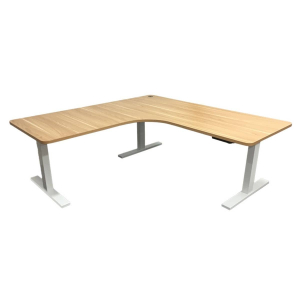
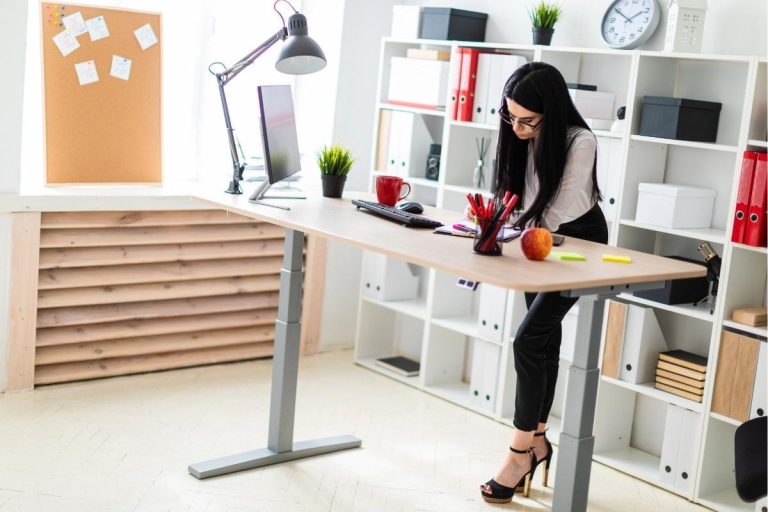
- Corner standing desks give you more usable desktop space, making them a strong option for multiple monitors, accessories and larger workstation setups.
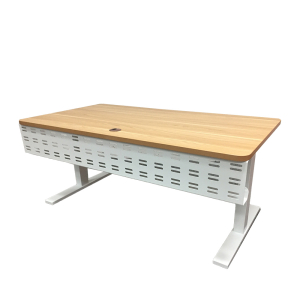
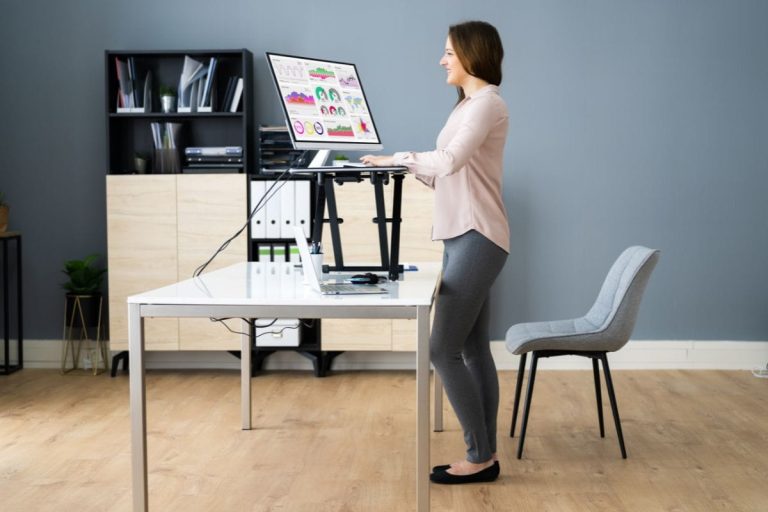
- Straight standing desks usually suit smaller rooms better because they take up less floor space and are easier to place against a wall.
- An L-shaped standing desk helps create separate work zones, giving you room to organise screens, equipment and everyday items within easy reach.
- The best desk shape depends on your workspace, setup and budget, as well as how much room you need when moving between sitting and standing.
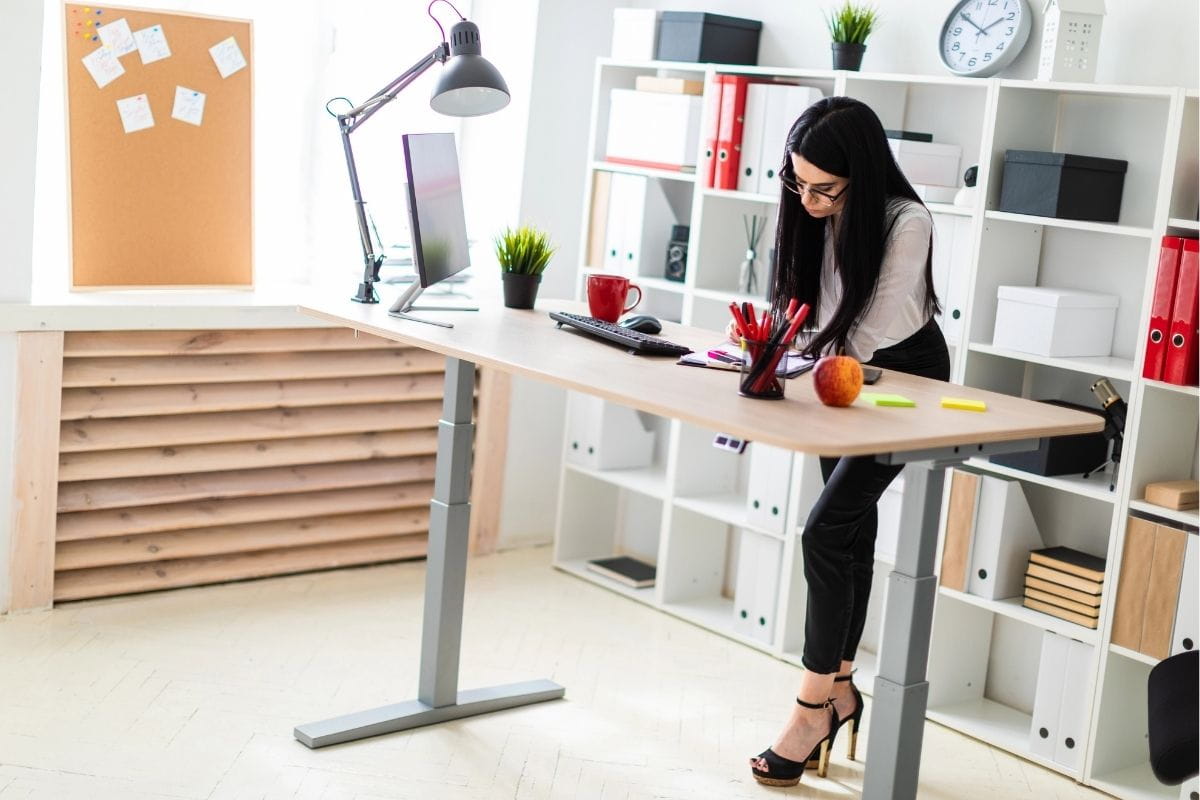
A corner standing desk gives you more desktop space and creates distinct work zones, while a straight standing desk typically fits more easily into smaller or simpler office layouts. The better option depends on your space, how many screens or accessories you use, and how you prefer to work throughout the day.
An L-shaped sit-stand desk can be especially useful for larger setups, multiple monitors, or work that needs more room within easy reach. A straight sit-stand desk, on the other hand, offers a more compact footprint and straightforward layout.
In this blog, we compare both desk shapes across desktop space, floor space, monitor setups, accessibility, and price to help you choose the option that best fits your workspace.
Corner standing desk vs straight standing desk: At a glance
The main difference between a corner standing desk and a straight standing desk is the workspace they provide and how they fit in a room.
| Consideration | Corner Standing Desk | Straight Standing Desk |
| Desktop space | More surface area across two connected sections | More compact working surface |
| Floor space | Needs a larger overall footprint but makes use of a corner | Generally takes up less room |
| Monitor setup | Well suited to multiple monitors and larger setups | Best suited to simpler one- or two-monitor setups |
| Accessibility | More space to keep equipment and materials within easy reach | Keeps frequently used items within one central area |
| Office layout | Best where an available corner suits the desk dimensions | Flexible against a wall or within an open office |
| Price | Generally higher due to the larger desktop and frame | Generally less expensive for a comparable range |
A corner standing desk is usually better if you need more desktop space or use multiple monitors, while a straight standing desk suits smaller spaces and simpler setups.
How much workspace do you need?
When setting up a home office desk, consider desk size, equipment, and other practical factors to create a comfortable, functional workspace.
A corner standing desk gives you more usable desktop space, which is especially valuable if your setup includes several screens, devices or materials you need throughout the day.
The L-shaped surface gives you two connected work areas. One side can hold your main monitor, keyboard, and mouse, while the second can hold additional screens, a laptop, paperwork, or other office supplies.
A corner desk is particularly useful for:
- Two or more monitors
- A laptop alongside external screens
- Paperwork or documents you regularly refer to
- Equipment and accessories that need to stay within easy reach
- Separating computer work from other tasks
A straight standing desk is usually enough for a simpler setup. If you mainly work from a laptop or use one or two monitors, you may not need the extra desktop space an L-shaped desk offers.
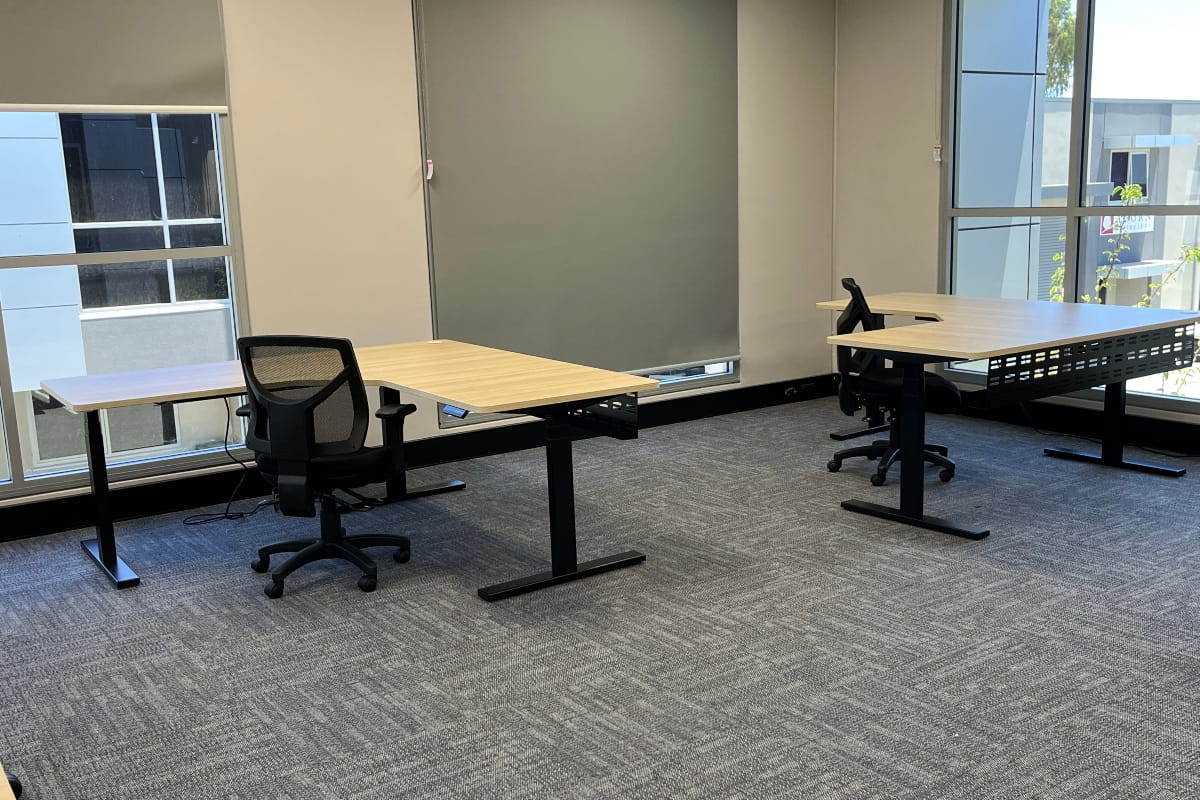
Which desk works better for your office layout?
The right desk shape depends on your room layout, not just how much floor space it takes up.
Small or shared offices
A straight standing desk generally works better in limited office space. It can sit against a single wall, leaving more room for your chair, storage, and other office furniture.
This simpler shape also gives you more flexibility if the room needs to serve several purposes or the furniture is rearranged regularly.
Dedicated home offices
A corner standing desk uses two adjoining walls to turn an unused corner into a larger workstation. This works particularly well in a dedicated home office with enough room for both sections of the L-shaped desk.
The extra desktop space can also reduce the need for a separate table or additional furniture elsewhere in the room.
Flexible workspaces
If you expect to move or rearrange your workstation, a straight desk is generally easier to reposition. A corner office desk works best when you have a more permanent location that suits its L-shape.
Whichever style you choose, measure the available space first. Check the position of doors, windows, power points and storage, and consider how natural light may create glare on your screens.
Make sure power and data cables can reach the desk without crossing walkways or creating clutter underneath, and leave enough room to move your chair and change comfortably between sitting and standing.
ARTEIL also offers optional power boards and cable trays with its Elevate desks to keep wiring organised as the desk moves between heights.
Which desk is better for ergonomics and everyday use?
Desk shape alone does not make a workstation ergonomic. Your standing desk height, monitor position, chair, and how you move throughout the day have a greater impact on comfort.
Whatever shape you choose, focus on four things:
- Keep your main screen in front of you. Additional monitors can sit to the side, but your primary screen should not require constant twisting.
- Keep frequently used items close. Extra desktop space is only useful if you can comfortably reach what you need.
- Set the desk to the right height. Your keyboard and mouse should remain comfortable when you move between sitting and standing.
- Change position regularly. A sit-stand desk lets you vary your working position instead of staying in one position all day.
ARTEIL’s guide to standing desk ergonomics explains how to position your desk and equipment, while are standing desks good for you? looks more closely at the benefits of alternating between sitting and standing.
Do corner and straight standing desks offer the same sit-stand benefits?
Yes. Both corner and straight standing desks can provide the same core sit-stand benefits when they offer suitable height adjustment. The main difference is the shape and amount of workspace.
Safe Work Australia recommends varying posture and movement throughout the workday, including standing for some computer work, reading and phone calls. It also notes that sitting for more than 30 minutes without a break is likely harmful.
A 2025 systematic review found that sit-stand desk interventions can reduce sedentary time during working hours. A separate meta-analysis of 46 studies found that standing uses slightly more energy than sitting, although the difference is relatively small.
Understanding proper standing desk ergonomics helps you position your desk and equipment correctly. If you’re wondering if standing desks are good for you, it’s also worth exploring the benefits of alternating between sitting and standing throughout the day.
What are the disadvantages of a corner standing desk?
The main drawbacks are space, cost and flexibility. A corner standing desk needs more floor space and wall length than a straight desk, so it suits only rooms with a corner that fit its dimensions.
- It takes up more room. Both sections need clear wall space, and you still need clearance behind the desk for your chair and for moving between sitting and standing.
- It costs more. A larger desktop and frame usually cost more than a comparable straight desk.
- It is harder to rearrange. A corner desk suits a permanent position. If you move your workstation regularly, or the room serves more than one purpose, a straight desk is easier to reposition.
- The extra surface can collect clutter. Desktop space you don’t use daily tends to fill with rarely used items.
- Equipment can end up out of reach. If screens and accessories are spread across both sections, you may find yourself stretching or twisting more than you would at a compact desk.
- Cable management is more involved. Two work zones usually mean more devices and more cables to route as the desk changes height.
If you rarely use the second section, the extra space and cost are hard to justify, and a straight desk will be the more practical choice.

What are the disadvantages of a straight standing desk?
The main limitation is desktop area. A straight standing desk gives you a single working surface, which can feel tight once your setup grows.
Common drawbacks:
- Less desktop area than an L-shaped desk of a comparable price
- Limited room for larger multi-monitor setups
- Fewer options for separating different tasks across the desk
- Can become crowded once monitor arms, a laptop and paperwork are added
For a laptop or a one to two-monitor setup, none of these will be an issue. They matter most if your equipment or workload is likely to grow.
What else should you compare beyond desk shape?
Desk shape is only one part of choosing a sit-stand desk. The desk also needs to suit your height, equipment and everyday workload. Consider:
- Height adjustment: Make sure the desk adjusts high and low enough for comfortable sitting and standing, especially if more than one person will use it.
- Weight capacity: Check that the frame can support your monitors, laptop, monitor arms and other equipment.
- Stability: A sturdy frame should keep the workstation stable as you move it and when you raise it.
- Electric adjustment: An electric motor makes it easier to switch between sitting and standing throughout the day.
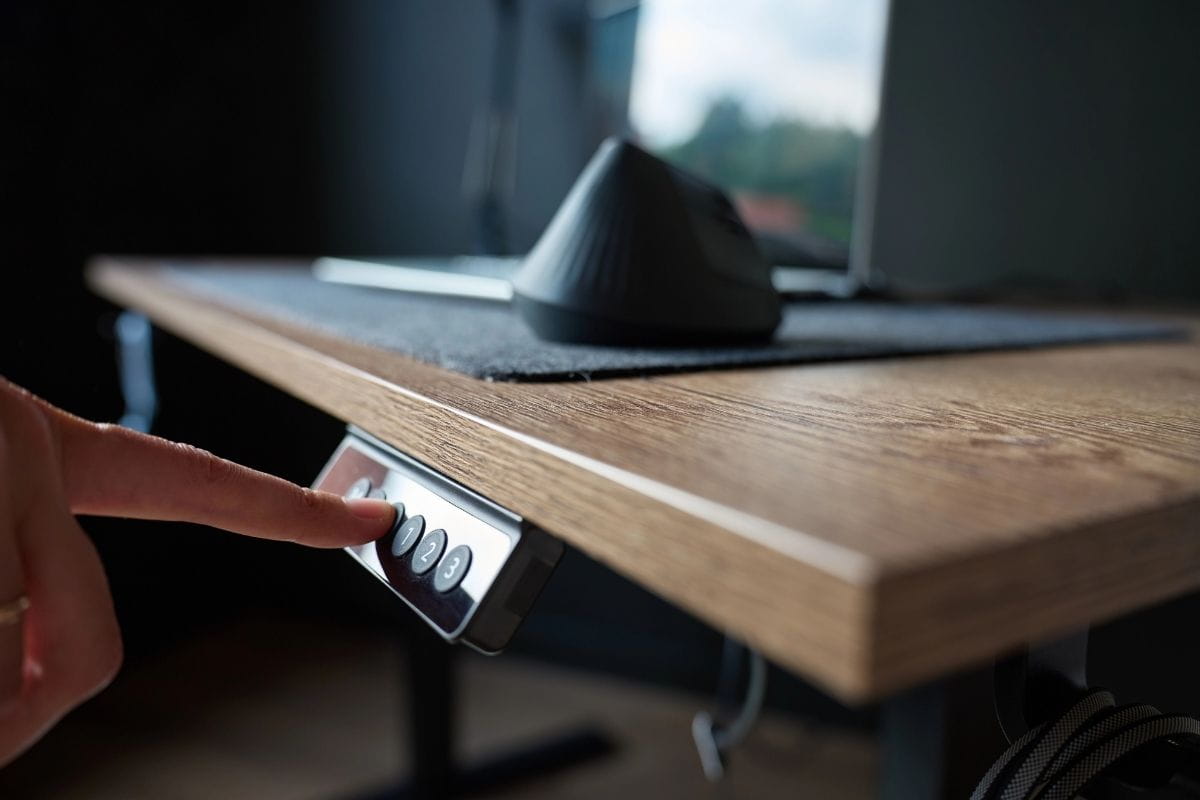
- Memory presets: Saved height positions let you return quickly to your preferred sitting and standing heights. ARTEIL’s Elevate L-Shape controller allows you to save up to four positions.
- Desktop dimensions: Check the actual width and depth to ensure your equipment fits comfortably.
- Accessories: Consider monitor arms, cable management, power access and storage as part of the full setup.
These features can matter just as much as whether the desk is straight or L-shaped.

How can desk shape affect your workflow?
Your desk shape can affect how you organise tasks throughout the day.
- A corner standing desk can create separate work zones. One section can hold your main screen, keyboard, and mouse, while the other holds a laptop, documents, or equipment for other tasks.
- A straight standing desk keeps your workflow more centralised. This works well if most of your work takes place around one main computer setup and you prefer everything directly in front of you.
Neither layout is automatically more productive. The better option is the one that gives you enough room for your normal work without leaving desktop space unused.
Which standing desk should you choose?
The right desk depends on how you actually use your workspace. A larger desk isn’t automatically better if you leave the extra surface unused, while a compact desk can feel restrictive if you regularly need more room for equipment or different tasks.
| Your Setup | Better Fit | Why |
| Dedicated office with plenty of room | Corner standing desk | Makes use of the available space and creates a larger workstation |
| Compact home office | Straight standing desk | Easier to fit without overcrowding the room |
| Work involving several devices or materials | Corner standing desk | Provides additional space to organise different parts of your work |
| Simple everyday computer setup | Straight standing desk | Keeps the workstation compact and straightforward |
| Workspace likely to be rearranged | Straight standing desk | Easier to reposition as your office layout changes |
| Permanent workstation | Corner standing desk | Works well when you have a defined area for a larger desk |
If you regularly use both sections of an L-shaped desk, a corner standing desk may be worth the extra space and cost. If your work stays mostly in one central area, a straight desk is usually the more practical choice.
Find the right standing desk for your workspace
A corner standing desk is generally the better choice if you need more desktop space, use multiple screens, or regularly switch between tasks. A straight standing desk often fits smaller offices, simpler setups, and workspaces where flexibility matters.
The right choice depends on more than shape alone. Consider your available office space, desktop requirements, height adjustment, stability, weight capacity and how often you move between sitting and standing throughout the day.
ARTEIL offers a range of adjustable desks to suit your workspace. If you need help choosing the right desk for your setup, contact us for advice on the available options.
Frequently asked questions
A sit-stand corner desk can work in a small office if the room has an unused corner and enough space for both sides of the L-shape. However, a straight standing desk usually saves space better when floor space is limited or you need room for other office furniture.
Before choosing a corner office desk, measure the available wall space and the clearance needed for your chair, storage, and movement around the workstation.
A height-adjustable desk should offer enough height adjustment for comfortable sitting and standing, while staying stable when raised.
For an electric corner desk, also check the electric motor system, weight capacity, desktop dimensions and controls. ARTEIL’s Elevate L-Shape uses motors on each leg and has a height range of 640mm to 1290mm.
The space you need depends on the desk dimensions and the clearance required for your chair and movement around the workstation.
ARTEIL’s Elevate L-Shape Sit-Stand Desk has two 1800mm x 750mm desktop sections, so measure both adjoining walls before deciding where it will sit. Also allow enough space behind the desk for your chair, storage, and comfortable movement between sitting and standing.
The desk adjusts from 640mm to 1290mm high, so check that nearby shelves, windows, or other furniture will not restrict the full height adjustment.
Yes. An L-shaped standing desk gives you ample space for multiple monitors, a laptop and other office supplies while keeping your main work area organised.
The extra desktop space also makes it easier to create separate zones for screens, documents, and accessories without cluttering the area directly in front of you.
Generally, yes. A corner standing desk uses more materials for its desktop and frame, so it usually costs more than a comparable straight desk.